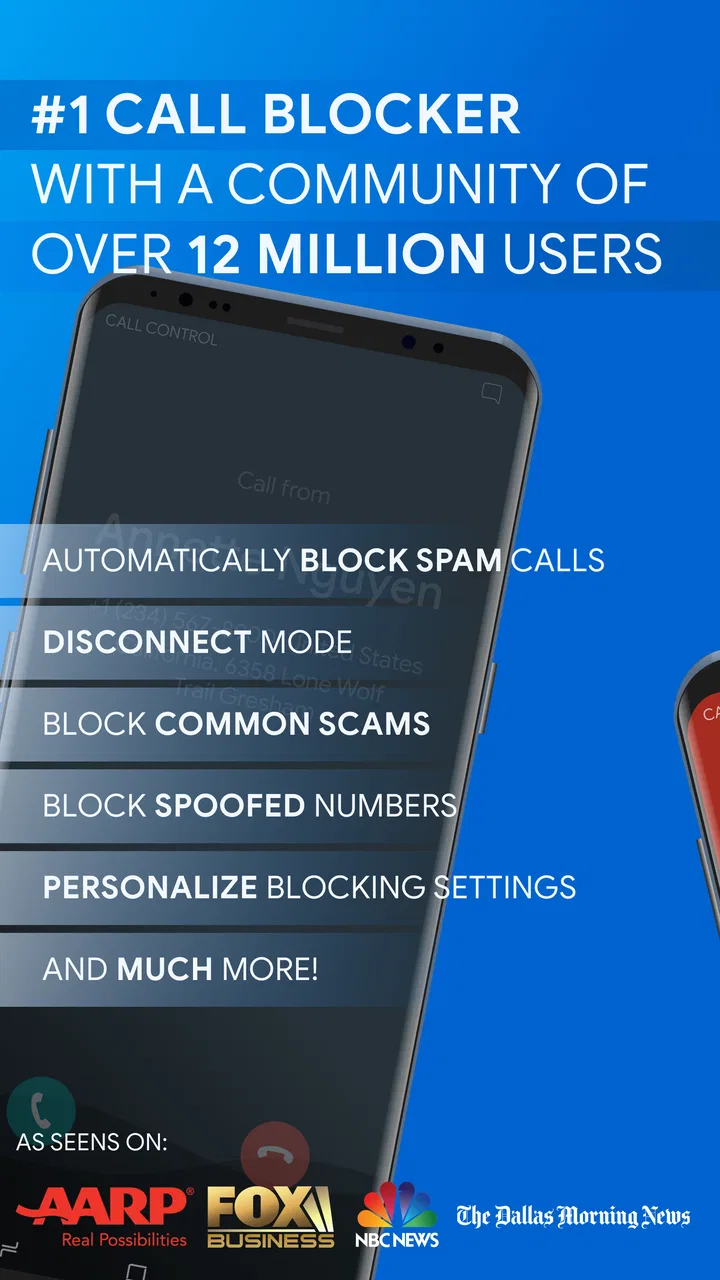
Call Control. Call Blocker
- 3.9
- Rating
- 5.00M
- Installs
- Free
- Price

 Analysis by App-foxy
Unwanted calls do more than interrupt a moment. They break concentration, pull attention away from a real conversation, and make the phone feel demanding instead of useful. I tested Call Control with that everyday problem in mind, and I found its main value in creating a little distance between legitimate communication and the constant noise of spam, robocalls, telemarketers, and unwanted messages.
Developed by Call Control LLC, this free communication app combines call blocking, SMS blocking, and caller identification in one place. It is available for everyone, runs on Android 8.0 and later, and has built a sizeable audience with more than five million installs. Its average rating sits at 3.9 from roughly 111 thousand ratings, which feels like a fair signal: many people find it useful, but the experience depends heavily on how much control you want and how your phone handles blocked communication.
How Call Control Changes the Way Your Phone Interrupts You
I focus here on the change that matters most to me: Call Control puts a layer of judgment between an incoming call and my attention, rather than making every unfamiliar number an immediate interruption. That distinction is useful when I want to stay reachable without treating every ring as equally important. From there, I look at how that filtering fits into an ordinary day and where I would use it cautiously.
You May Also Like

 Blood Strike: 2.5 Anniversary
Blood Strike’s Loadouts Turn Every Drop Into a Tactical Gamble
A close look at Blood Strike’s custom loadouts: how fast access to signature weapons reshapes its battle royale rhythm, rewards preparation, and narrows the gap between fights.

 Pandora - Music & Podcasts
Pandora’s Music Is Easy to Start, but Harder to Recover
Pandora’s strength is its low-effort path from a seed to a station. Its weak spot is how much confidence it asks you to place in connection, setup, and quiet recovery.

 8 Ball Pool
 Is Built on Rivalries, Rematches, and Routine
A close look at the rivalries, rematches, shared routines, and unanswered safety questions that turn a quick pool match into a persistent mobile community.

 Samsung Music
’s Quiet Strength Is Playing What You Already Own
Its reach comes less from spectacle than from dependable access to a personal library. That simplicity is both the app’s strongest retention engine and its ceiling.

 AccuWeather: Weather Radar
AccuWeather Review: A Quick, Clear Forecast for Everyday Decisions
For everyday plans, the best forecast is the one you can understand quickly. AccuWeather makes rain timing, radar, and local conditions easy to act on, with a few trade-offs.

 Hill Climb Racing
Why Hill Climb Racing Still Turns Crashes Into One More Run
A tiny car, a bumpy hill and one more upgrade: Hill Climb Racing keeps resurfacing because its simple chaos makes every near-miss feel personal.
More From Our News Desk



The real problem is the rhythm of communication
A normal phone day has a rhythm. I may answer a call, reply to a message, return to work, and then pick up the thread of whatever I was doing. Spam destroys that rhythm because every unknown number demands a quick decision: answer, ignore, search, block, or wait for a voicemail. Even when I do not answer, the interruption has already happened.
Call Control is useful because it moves part of that decision away from the moment of interruption. Instead of treating every incoming number as a fresh problem, I can use the app as a filter for calls and texts I would rather not deal with. That is especially helpful for people who receive repeated marketing calls or automated messages throughout the day.
I would not describe it as a replacement for the phone app. It works better as a layer around normal communication: my contacts and important conversations remain central, while suspicious or unwanted traffic gets handled separately. That distinction matters because the best blocking tool is not the one that makes the phone silent at all costs. It is the one that reduces noise without making trusted people difficult to reach.
Getting started without overcomplicating the phone
The first useful step is to decide what I actually want blocked. Some people want aggressive protection from nearly every unfamiliar number. Others only want to stop obvious telemarketing while keeping the possibility of receiving a call from a school, delivery service, clinic, or new client. Call Control makes more sense when I choose that preference deliberately rather than expecting one universal setting to fit every situation.
I recommend spending a few minutes checking the app’s call and SMS controls before relying on it. The important question is not simply whether a number can be blocked, but how the app fits into the phone’s normal call flow. If I am expecting an important call from an unfamiliar number, a highly restrictive setup may create more inconvenience than relief.
That is one of the less obvious trade-offs with any caller ID and blocking app: protection is valuable only when it matches the user’s communication pattern. Someone who works from a public phone number may need a lighter touch than someone who rarely receives calls outside a saved contact list.
What the caller ID layer contributes
Blocking is only half of the experience. Caller identification gives me context before I decide whether to answer. That can be more useful than automatically rejecting every unknown call, because not every unfamiliar number is harmful. A recognized label can help me separate a likely nuisance from a call that deserves attention.
I found this especially practical when I was busy and did not want to stop what I was doing for every ring. A quick glance at the caller information helped me make a faster choice. If the call looked irrelevant, I could leave it alone. If it appeared connected to something I was waiting for, I had a reason to answer.
That small change improves conversation flow. Instead of reacting emotionally to an unknown number, I can make a calmer decision. The phone still interrupts me, but the interruption carries more information and requires less guesswork.
Blocking messages is important, not just calls
Many people focus on unwanted calls and forget that spam texts can be just as disruptive. A message notification often feels more urgent than a missed call, especially when it appears alongside conversations with family, colleagues, or customers. Call Control’s SMS blocking makes the app more useful than a tool that handles calls alone.
For me, the benefit is not merely having fewer messages in the inbox. It is keeping genuine conversations visually clear. When important messages are surrounded by promotions, suspicious links, or repeated automated notices, finding the conversation I actually need becomes slower and more stressful.
There is a practical habit I would suggest: review the blocked-message behavior after installing the app, then check it again after a few days of normal use. If a legitimate sender is being filtered, I want to notice that quickly. A clean inbox is helpful, but not if it hides a message I was waiting for.
The attention cost is larger than the notification
Spam is often measured by how many calls or texts arrive, but the bigger cost is the attention attached to each one. A single unwanted call can interrupt reading, cooking, driving preparation, studying, or a conversation with another person. Even when I reject it immediately, my mind may spend another minute wondering whether it was important.
Call Control helps by reducing the number of decisions I have to make. That is its strongest everyday effect. It does not make communication more exciting, and it is not meant to. It makes communication less demanding by handling a category of contact I usually do not want.
This matters for people who keep their phone near them for work or family reasons. Turning the phone off completely may not be realistic, while answering everything is exhausting. A call blocker offers a middle position: stay reachable, but place a boundary around the kinds of contact that are allowed to compete for attention.
Where the app can create friction
No filtering system should be treated as perfect. Caller identification can be less useful when numbers are disguised, changed frequently, or not recognized clearly. Blocking can also feel too aggressive if I use my phone for appointments, freelance work, deliveries, or other situations where new numbers are common.
The rating of 3.9 from around 111 thousand ratings reflects that mixed reality better than a flawless score would. A blocking app can be genuinely helpful while still producing occasional uncertainty about what was filtered and whether a legitimate caller might have been caught in the process.
I also would not install this app and immediately forget about it. Blocking preferences deserve occasional attention, particularly if my circumstances change. A job search, a move, a medical appointment, or a new business contact list can make unknown calls more important than they were before.
Boundaries work best when they are intentional
The most useful way to think about Call Control is as a boundary-setting tool. It lets me decide that not every caller gets immediate access to my attention. That is different from being unreachable. I can still return calls, check messages, and respond when I choose, rather than allowing a random ring to dictate the timing.
This is valuable in a realistic household scenario. Imagine working from home while caring for a child. A repeated robocall can wake someone, interrupt a meeting, or force me to stop what I am doing several times. Blocking that pattern does not solve every communication problem, but it removes one needless source of pressure and makes the remaining calls easier to judge.
The same principle applies to evenings. If I want to stay available for family but avoid telemarketing, a targeted setup is more practical than switching the entire phone to silence. The app supports that kind of selective availability, provided I take care when deciding how broad the blocking should be.
How it compares with ordinary phone settings
Built-in phone features are often enough for occasional nuisance numbers. If I receive one unwanted call every few weeks, manually blocking each number may be simpler and avoids adding another app to the communication process. The standard messaging app may also handle basic spam filtering well enough for light use.
Call Control becomes more compelling when the problem is repeated and crosses both calls and texts. Its combination of blocking and caller identification gives me a more organized approach than reacting to each number separately. Instead of maintaining a long mental list of nuisances, I can use one dedicated tool for the broader pattern.
It is also different from simply using a do-not-disturb mode. Do not disturb protects my time by muting interruptions broadly, while Call Control focuses on unwanted contacts and gives me more context around incoming calls. If I need quiet during a meeting, the phone’s built-in silence tools may be better. If I want to remain reachable while reducing spam, this app has the clearer purpose.
Users who want a highly integrated solution built entirely into the phone operating system may prefer native tools. People who want a dedicated call and SMS blocker, with caller identification included, will likely see more value here. The decision comes down to whether spam is a recurring communication problem or merely an occasional annoyance.
What the cost means in practice
The app is free to install, but it includes optional in-app purchases priced from $2.99 to $29.99 per item. That makes it easy to try without committing money immediately, which I consider important for a tool whose usefulness depends on how many unwanted contacts I actually receive.
I would start with the free experience and judge it against my real routine rather than paying based on the promise of a cleaner phone. If the basic blocking and identification tools already solve the problem, there may be no reason to spend more. If I need additional control, I can decide whether the purchase is worth it after seeing how the app fits my habits.
The current version is 2.15.15, and the app has been available since November 20, 2010. That long presence suggests a product built around a persistent problem rather than a short-lived trend. Still, longevity does not remove the need to check how it behaves on my particular device and with my own calling habits.
Who should use it and who should skip it
I would recommend Call Control to someone who receives frequent robocalls, telemarketing calls, or unwanted texts and wants more than manual blocking. It is also a good match for people who need to remain reachable but want to reduce the number of interruptions competing for their attention. The caller ID function is useful for anyone who regularly makes decisions about unfamiliar numbers.
I would be more cautious recommending it to someone whose work depends on calls from new or changing numbers. That person should favor a conservative blocking approach and review filtered communication regularly. A person who receives almost no spam may also find the extra app unnecessary when the phone’s built-in tools already meet their needs.
Privacy-conscious users should also make their own comfort assessment before enabling any communication-management tool. The practical benefit is clearer control over calls and messages, but every user should understand what they are comfortable allowing an app to handle on the phone.
My final view after using it
Call Control does not transform the phone into a perfectly quiet device, and I would not treat it as a set-and-forget shield. Its real strength is more modest and more useful: it helps me reclaim control over the timing and importance of incoming communication.
I like the combination of call blocking, SMS blocking, and caller identification because it addresses the whole interruption pattern instead of only one part of it. The app is most effective when I use it thoughtfully, keep an eye on how broad the filtering is, and remember that an unfamiliar number is not automatically an unwanted one.
For a free communication app with optional purchases, an Everyone age rating, and support for Android 8.0 or later, it is an accessible way to test whether dedicated filtering improves daily phone use. My verdict is positive for people whose attention is regularly drained by spam. If your phone already stays quiet, the benefit will be limited. But if every ring makes you stop and ask whether it matters, Call Control can make that decision faster, calmer, and much less disruptive.
FAQs for Call Control. Call Blocker
01What is Call Control: Call Blocker, and what does it do?
Call Control: Call Blocker is designed to help manage unwanted phone calls by identifying, filtering, and blocking numbers you do not want to hear from. It can be useful for reducing spam, telemarketing calls, robocalls, and repeated nuisance callers. Depending on your device and app settings, it may also let you create personal block lists, review blocked activity, and control how suspicious calls are handled.
02How does Call Control identify and block spam calls?
The app generally relies on a combination of user-created rules, reported numbers, and a database of known unwanted callers to help recognize suspicious calls. You can usually block individual numbers manually or apply broader filtering options. Because spam databases and caller identification are not perfect, some unwanted calls may still get through, while legitimate numbers could occasionally be flagged incorrectly.
03Will Call Control block every unwanted or robocall automatically?
No call-blocking application can guarantee that every spam, scam, or robocall will be stopped. Fraudsters frequently change numbers, use local caller ID spoofing, or call from numbers that have not yet been reported. Call Control can reduce interruptions substantially when configured correctly, but it is still important to remain cautious, avoid sharing personal information, and report suspicious calls rather than relying on the app alone.
04Does Call Control: Call Blocker require access to my contacts or phone calls?
The app may request permissions related to phone calls, contacts, notifications, or caller identification, depending on the features you enable and whether you use Android or iOS. Call-related access is normally needed to identify or block incoming calls, while contact access may help prevent important people from being filtered. Before accepting permissions, review the app’s privacy information and grant only access you consider necessary.
05Can I unblock numbers or prevent important calls from being blocked?
In most cases, you can manage blocked numbers through the app’s settings by removing a number from the block list or adding trusted contacts to an allow list. It is worth checking these options after installation, especially if you receive calls from doctors, delivery services, schools, or unfamiliar business numbers. Reviewing blocked-call history regularly can also help you identify and restore a legitimate caller.
Pros
- Blocks unwanted calls automatically using community reports.
- Lets you create custom blocklists for specific numbers or prefixes.
- Can identify suspicious callers before you answer.
- Offers flexible rules for blocking private or unknown numbers.
- Helps reduce spam interruptions without changing your phone app.
Cons
- Some features may require a paid subscription.
- Caller identification depends on an internet connection and database data.
- Community reports can occasionally label legitimate numbers incorrectly.
- Advanced blocking settings may take time to configure properly.
- Performance and available features can vary by device and operating system.

Call Control. Call Blocker
Gallery